Fact-Check in 5 Steps: How to Verify News Yourself

31
.
08
.
2026
10
Min. reading time
Category |
Knowledge
Autor:

CBS University of Applied Sciences

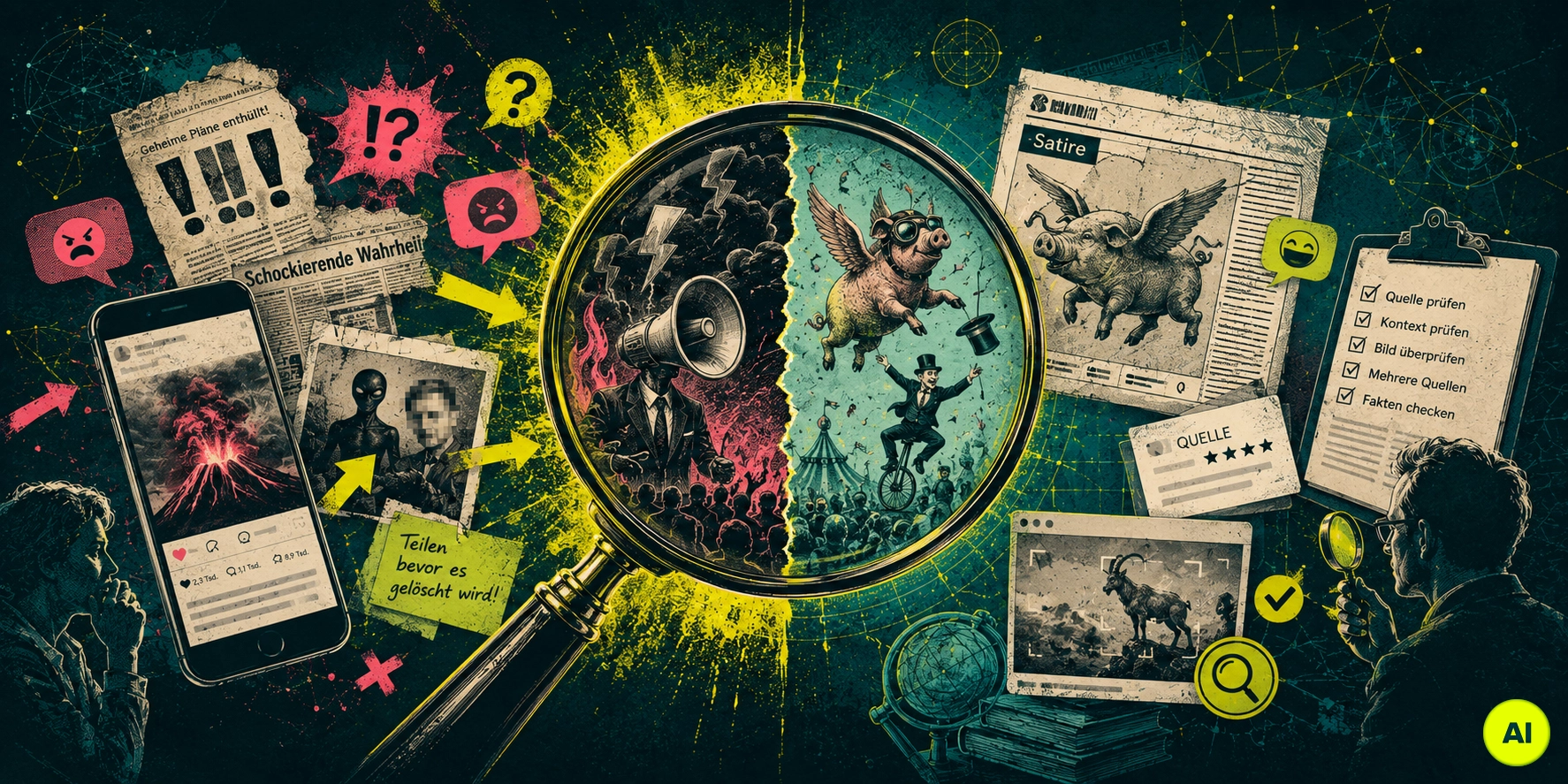
Fact-check illustration: a magnifying glass separates sensational fake news headlines from satire, surrounded by icons for source, context, and image checks.

A screenshot in the family WhatsApp group. A video that gets shared thousands of times within minutes. And right in the middle of it, one question: is this even true? A fact-check helps you answer that, usually in just a few minutes.

According to the Reuters Institute Digital News Report 2026, almost every second person in Germany feels unsure about telling facts from false claims. At the same time, only around one in three people actually clicks through to a story's original source before believing it. The problem is rarely a lack of interest. It's a lack of method.

That's exactly what you get here. In five clear steps, this article shows you how to check the source, author, image, and context of a news story before you believe or share it. It doesn't matter whether it's a text message, a screenshot, or a video: the method stays the same. By the end, you'll have a checklist you can remember for the next time you're not sure.

Key Takeaways

  • 5 steps: you check the source, author, reverse image search, second source, and date, in that order
  • Time needed: a thorough fact-check usually takes just 2 to 5 minutes
  • Starting point: almost every second person in Germany feels unsure about telling facts from false claims
  • Reverse image search: free tools like Google Lens, TinEye, and InVID show you where an image first appeared
  • Second source: information only counts as verified once an independent, reputable source confirms it
  • Fake news vs. satire: the difference lies in the intent to deceive, not in how factual the content is
  • CBS connection: understanding how people process information helps you spot manipulation faster. That's exactly what the Business Psychology (B.Sc.) programme at CBS teaches

Your Fact-Check Checklist at a Glance

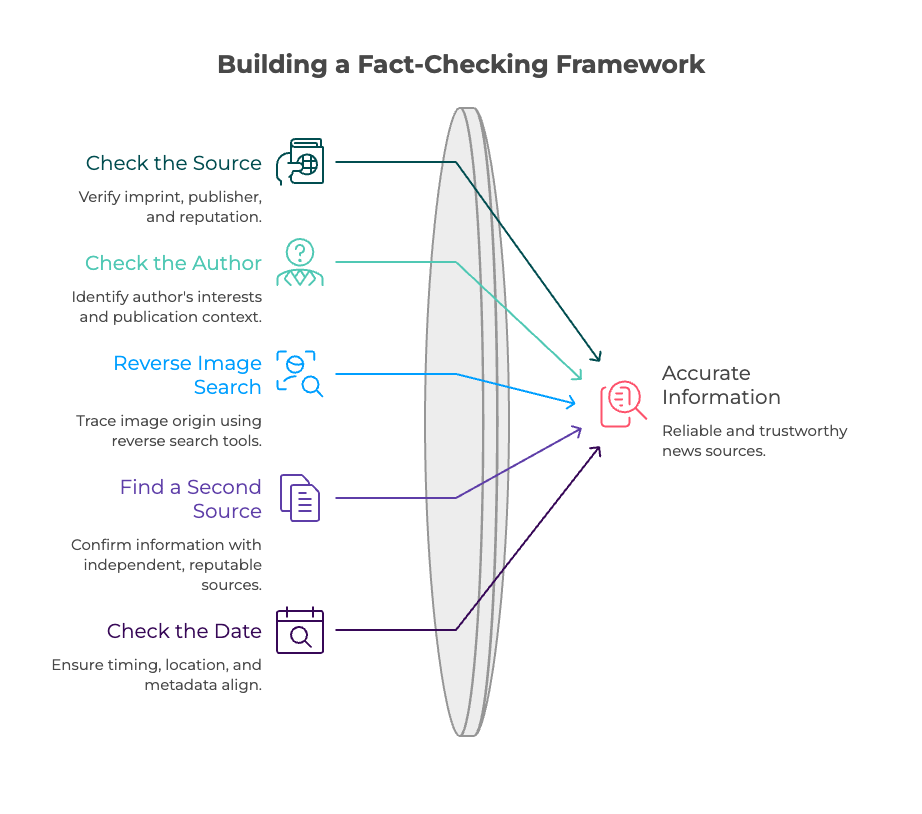
Before we get into the details, here are the five steps in a compact format you can remember or print out:

  1. Check the source: Review the imprint, publisher, and reputation.
  2. Check the author and context: Who published the story, and what's their interest in it?
  3. Run a reverse image search: Use Google Lens, TinEye, or InVID to trace an image's origin.
  4. Find a second source: Does an independent, reputable source confirm the same information?
  5. Check the date and context: Do the timing, location, and metadata actually add up?

The rest of this article walks through each of these five steps in detail, including specific tools and examples.
How Long Does a Good Fact-Check Really Take?

A thorough fact-check usually takes just 2 to 5 minutes. The five steps in this article check exactly what professional fact-checkers look at first: source, author, image, second source, and context. Time isn't really the problem here. Routine is.

The Reuters Institute Digital News Report 2026 shows where things actually go wrong. Only around 38 to 41 percent of respondents click through to a story's original source, at least sometimes. For answers from AI chatbots, 19 percent almost never bother to verify at all.

In other words, the method is missing more often than the motivation. Once you've internalised the five steps, you apply them almost automatically, similar to looking left and right before crossing a street. This automation of thinking is actually a topic that Business Psychology studies in depth. It explains why we take mental shortcuts, and how we can consciously work around them.

Step 1: How Do You Check Whether a Source Is Trustworthy?

A trustworthy source has a complete imprint, a recognisable publisher, and an identifiable editorial team. If these details are missing, the domain looks unusual, or you can't find any information about who runs it, that's a reason for caution. A quick check of these three points is often enough to confirm or dismiss your first doubts.

Ask yourself this for every story: do you already know this website or profile? Is there a real media outlet, government body, or established organisation behind it? According to Mimikama, it also helps to take a quick look at the source's past publications: do they read as factual, or do sensational headlines already stand out?

One simple trick helps too: paste the domain into a search engine and add the word "imprint" or "reliable". You'll often find other users' or fact-checkers' assessments right away.

Even the name alone can give something away. If a domain sounds like a well-known newspaper but has an unusual ending or a slightly altered name, that's a typical warning sign. Reputable newsrooms almost always use their official web address, the one they've used for years. These basic rules of source criticism apply to any story, whether it's text, an image, or a video.

Step 2: Check the Author and Context

Who published the story, and what's their interest in it? That's the question Step 2 answers. A quick search for the author's name helps here. It often shows straight away whether you're dealing with an established figure in journalism or an anonymous profile with no visible history.

Watch out for possible conflicts of interest:

  • Is the person connected to a political party, a company, or a campaign they're reporting on?
  • Is the story written in an unusually emotional or judgmental way instead of describing things neutrally?
  • Is there no information at all about who originally published the story?

Timing matters too: an old story that suddenly resurfaces often looks more current than it actually is. Checking the publication date right at the start protects you from this kind of misunderstanding.

Here's a real-world example: a quote supposedly said yesterday turns out, on closer inspection, to be three years old and from a completely different context. Without checking the date and the author, that difference is easy to miss.

How Does a Reverse Image Search Work?

A reverse image search shows you where an image was first published and in what context. Free tools like Google Lens, TinEye, or InVID let you simply upload the image or scan its URL.

Here's exactly how to do it:

  1. Save the image or copy the image link.
  2. Upload it to Google Lens, TinEye, or InVID.
  3. Compare the date of the first publication with the date of the current story.
  4. Check whether the location, event, or people involved actually match.

According to Mimikama, many supposedly current images actually come from other countries or earlier events. A reverse image search usually uncovers this kind of context shift within a minute.

It works quickly on your smartphone too: a long press on the image usually opens the option to open it in Google Lens or search for it directly. That means you can check a screenshot straight from the family WhatsApp group, without having to save it to your computer first.

Why a Second Source Makes the Difference

A single source is rarely enough, no matter how reputable it looks. Information only counts as verified once a second, independent source confirms it. Established news agencies like dpa or AFP, as well as specialised organisations like CORRECTIV, systematically check exactly these kinds of stories.

If you can only find a story on one obscure, little-known source, that's a clear warning sign. If a piece of information spreads across several independent, established channels with matching details, the odds that it's true go up significantly.

If a claim is circulating among people you know, a quick search term plus "fact-check" in a search engine often helps. One of the established organisations has frequently already checked the story, so you don't have to do all the research yourself.

{{call-to-action}}

How Do You Spot a Manipulated or Out-of-Context Image?

A manipulated image often gives itself away through inconsistent shadows, distorted proportions, or unusual metadata. Tools like InVID or an EXIF viewer show you hidden image information like the camera, the date it was taken, or signs of editing.

Watch specifically for these signs:

  • Shadows and perspective: does the direction of light match every object in the image?
  • Metadata: does InVID or the EXIF viewer show a plausible date and device?
  • Editing traces: are there any hints of image-editing software in the file name or metadata?
  • Context: does the event shown actually match the location and timing of the current story?

According to Mimikama, the most effective fakes rely less on technical perfection and more on emotional impact. A healthy dose of doubt toward especially disturbing images is almost always worth it.

Fake News or Satire? How to Tell the Difference

Fake news deliberately presents itself as real news in order to deceive. Satire, on the other hand, is usually recognisable as exaggeration meant to entertain. The key difference isn't how factual something is. It's the intent to deceive behind it.

Disinformation and misinformation are also frequently confused. The table below shows the main differences:

TermCore ideaExampleFake newsDeliberately false content designed to look like real newsA fabricated article with a fake source citationSatireExaggeration with a recognisable intent to entertainA clearly labelled satirical pieceDisinformationFalse information spread on purpose with a strategic goalA targeted campaign to manipulate public opinionMisinformationFalse information shared without any intent to deceiveAn outdated fact passed on in good faith

This classification is based on the Landesmedienzentrum Baden-Württemberg (State Media Centre of Baden-Württemberg). When in doubt, the same method applies as for any other story: check the source, author, and context before you form an opinion.

{{call-to-action}}

Conclusion: More Confidence in Your News Feed, in Five Steps

A fact-check doesn't have to be complicated or time-consuming. If you systematically check the source, author, image, second source, and date, you'll spot most false stories within minutes.

The most important part is routine: apply the five steps consciously a few times until they become second nature. After that, a short, almost automatic check is usually enough before you believe or share a story. This exact difference between conscious and automatic thinking is also a central topic in business psychology, which studies how people really make decisions under time pressure and information overload.

Want to go deeper? We explain in detail why our brains are vulnerable to false stories in the first place in our article How to Spot Fake News. And if you want to work professionally with exactly these psychological mechanisms, you'll find more food for thought on the CBS Blog or in a conversation with our student advisory team.

A screenshot in the family WhatsApp group. A video that gets shared thousands of times within minutes. And right in the middle of it, one question: is this even true? A fact-check helps you answer that, usually in just a few minutes.

According to the Reuters Institute Digital News Report 2026, almost every second person in Germany feels unsure about telling facts from false claims. At the same time, only around one in three people actually clicks through to a story's original source before believing it. The problem is rarely a lack of interest. It's a lack of method.

That's exactly what you get here. In five clear steps, this article shows you how to check the source, author, image, and context of a news story before you believe or share it. It doesn't matter whether it's a text message, a screenshot, or a video: the method stays the same. By the end, you'll have a checklist you can remember for the next time you're not sure.

Key Takeaways

  • 5 steps: you check the source, author, reverse image search, second source, and date, in that order
  • Time needed: a thorough fact-check usually takes just 2 to 5 minutes
  • Starting point: almost every second person in Germany feels unsure about telling facts from false claims
  • Reverse image search: free tools like Google Lens, TinEye, and InVID show you where an image first appeared
  • Second source: information only counts as verified once an independent, reputable source confirms it
  • Fake news vs. satire: the difference lies in the intent to deceive, not in how factual the content is
  • CBS connection: understanding how people process information helps you spot manipulation faster. That's exactly what the Business Psychology (B.Sc.) programme at CBS teaches

Your Fact-Check Checklist at a Glance

Before we get into the details, here are the five steps in a compact format you can remember or print out:

  1. Check the source: Review the imprint, publisher, and reputation.
  2. Check the author and context: Who published the story, and what's their interest in it?
  3. Run a reverse image search: Use Google Lens, TinEye, or InVID to trace an image's origin.
  4. Find a second source: Does an independent, reputable source confirm the same information?
  5. Check the date and context: Do the timing, location, and metadata actually add up?

The rest of this article walks through each of these five steps in detail, including specific tools and examples.

How Long Does a Good Fact-Check Really Take?

A thorough fact-check usually takes just 2 to 5 minutes. The five steps in this article check exactly what professional fact-checkers look at first: source, author, image, second source, and context. Time isn't really the problem here. Routine is.

The Reuters Institute Digital News Report 2026 shows where things actually go wrong. Only around 38 to 41 percent of respondents click through to a story's original source, at least sometimes. For answers from AI chatbots, 19 percent almost never bother to verify at all.

In other words, the method is missing more often than the motivation. Once you've internalised the five steps, you apply them almost automatically, similar to looking left and right before crossing a street. This automation of thinking is actually a topic that Business Psychology studies in depth. It explains why we take mental shortcuts, and how we can consciously work around them.

Step 1: How Do You Check Whether a Source Is Trustworthy?

A trustworthy source has a complete imprint, a recognisable publisher, and an identifiable editorial team. If these details are missing, the domain looks unusual, or you can't find any information about who runs it, that's a reason for caution. A quick check of these three points is often enough to confirm or dismiss your first doubts.

Ask yourself this for every story: do you already know this website or profile? Is there a real media outlet, government body, or established organisation behind it? According to Mimikama, it also helps to take a quick look at the source's past publications: do they read as factual, or do sensational headlines already stand out?

One simple trick helps too: paste the domain into a search engine and add the word "imprint" or "reliable". You'll often find other users' or fact-checkers' assessments right away.

Even the name alone can give something away. If a domain sounds like a well-known newspaper but has an unusual ending or a slightly altered name, that's a typical warning sign. Reputable newsrooms almost always use their official web address, the one they've used for years. These basic rules of source criticism apply to any story, whether it's text, an image, or a video.

Step 2: Check the Author and Context

Who published the story, and what's their interest in it? That's the question Step 2 answers. A quick search for the author's name helps here. It often shows straight away whether you're dealing with an established figure in journalism or an anonymous profile with no visible history.

Watch out for possible conflicts of interest:

  • Is the person connected to a political party, a company, or a campaign they're reporting on?
  • Is the story written in an unusually emotional or judgmental way instead of describing things neutrally?
  • Is there no information at all about who originally published the story?

Timing matters too: an old story that suddenly resurfaces often looks more current than it actually is. Checking the publication date right at the start protects you from this kind of misunderstanding.

Here's a real-world example: a quote supposedly said yesterday turns out, on closer inspection, to be three years old and from a completely different context. Without checking the date and the author, that difference is easy to miss.

How Does a Reverse Image Search Work?

A reverse image search shows you where an image was first published and in what context. Free tools like Google Lens, TinEye, or InVID let you simply upload the image or scan its URL.

Here's exactly how to do it:

  1. Save the image or copy the image link.
  2. Upload it to Google Lens, TinEye, or InVID.
  3. Compare the date of the first publication with the date of the current story.
  4. Check whether the location, event, or people involved actually match.

According to Mimikama, many supposedly current images actually come from other countries or earlier events. A reverse image search usually uncovers this kind of context shift within a minute.

It works quickly on your smartphone too: a long press on the image usually opens the option to open it in Google Lens or search for it directly. That means you can check a screenshot straight from the family WhatsApp group, without having to save it to your computer first.

Why a Second Source Makes the Difference

A single source is rarely enough, no matter how reputable it looks. Information only counts as verified once a second, independent source confirms it. Established news agencies like dpa or AFP, as well as specialised organisations like CORRECTIV, systematically check exactly these kinds of stories.

If you can only find a story on one obscure, little-known source, that's a clear warning sign. If a piece of information spreads across several independent, established channels with matching details, the odds that it's true go up significantly.

If a claim is circulating among people you know, a quick search term plus "fact-check" in a search engine often helps. One of the established organisations has frequently already checked the story, so you don't have to do all the research yourself.

{{call-to-action}}

How Do You Spot a Manipulated or Out-of-Context Image?

A manipulated image often gives itself away through inconsistent shadows, distorted proportions, or unusual metadata. Tools like InVID or an EXIF viewer show you hidden image information like the camera, the date it was taken, or signs of editing.

Watch specifically for these signs:

  • Shadows and perspective: does the direction of light match every object in the image?
  • Metadata: does InVID or the EXIF viewer show a plausible date and device?
  • Editing traces: are there any hints of image-editing software in the file name or metadata?
  • Context: does the event shown actually match the location and timing of the current story?

According to Mimikama, the most effective fakes rely less on technical perfection and more on emotional impact. A healthy dose of doubt toward especially disturbing images is almost always worth it.

Fake News or Satire? How to Tell the Difference

Fake news deliberately presents itself as real news in order to deceive. Satire, on the other hand, is usually recognisable as exaggeration meant to entertain. The key difference isn't how factual something is. It's the intent to deceive behind it.

Disinformation and misinformation are also frequently confused. The table below shows the main differences:

TermCore ideaExampleFake newsDeliberately false content designed to look like real newsA fabricated article with a fake source citationSatireExaggeration with a recognisable intent to entertainA clearly labelled satirical pieceDisinformationFalse information spread on purpose with a strategic goalA targeted campaign to manipulate public opinionMisinformationFalse information shared without any intent to deceiveAn outdated fact passed on in good faith

This classification is based on the Landesmedienzentrum Baden-Württemberg (State Media Centre of Baden-Württemberg). When in doubt, the same method applies as for any other story: check the source, author, and context before you form an opinion.

{{call-to-action}}

Conclusion: More Confidence in Your News Feed, in Five Steps

A fact-check doesn't have to be complicated or time-consuming. If you systematically check the source, author, image, second source, and date, you'll spot most false stories within minutes.

The most important part is routine: apply the five steps consciously a few times until they become second nature. After that, a short, almost automatic check is usually enough before you believe or share a story. This exact difference between conscious and automatic thinking is also a central topic in business psychology, which studies how people really make decisions under time pressure and information overload.

Want to go deeper? We explain in detail why our brains are vulnerable to false stories in the first place in our article How to Spot Fake News. And if you want to work professionally with exactly these psychological mechanisms, you'll find more food for thought on the CBS Blog or in a conversation with our student advisory team.

Understand How People Really Decide

The Business Psychology (B.Sc.) programme at CBS shows you why we take mental shortcuts, and how to use or see through them.

Discover now!

Deepen Your Knowledge in Our Master's Programme

If you want to work professionally with communication, manipulation, and decision-making behaviour, the Business Psychology and Management (M.Sc.) programme at CBS gives you the right specialisation.

Discover now!

FAQS: Frequently Asked Questions

What's the difference between fake news and satire?

How long does a thorough fact-check take?

Which tools help with a reverse image search?

Is a single source enough to confirm something?

What should I do if I'm still unsure after fact-checking?

Arrange a consultation
Send a WhatsApp
Send an email
Call now!
Events